Dictate directly into your Mac apps.

Start recording with a shortcut, speak, and let Dictop insert the transcript at your cursor. Set up word corrections and optional AI editing before the text reaches your app.

macOS 14 or later. On-device performance varies by Mac and model.

Dictop on Mac showing saved transcripts and dictation statistics on a pink background.
Product previews shown in English.

From recording to inserted text.

Configure each step: record audio, transcribe it, apply replacement rules, optionally edit with AI, then insert or copy the result.

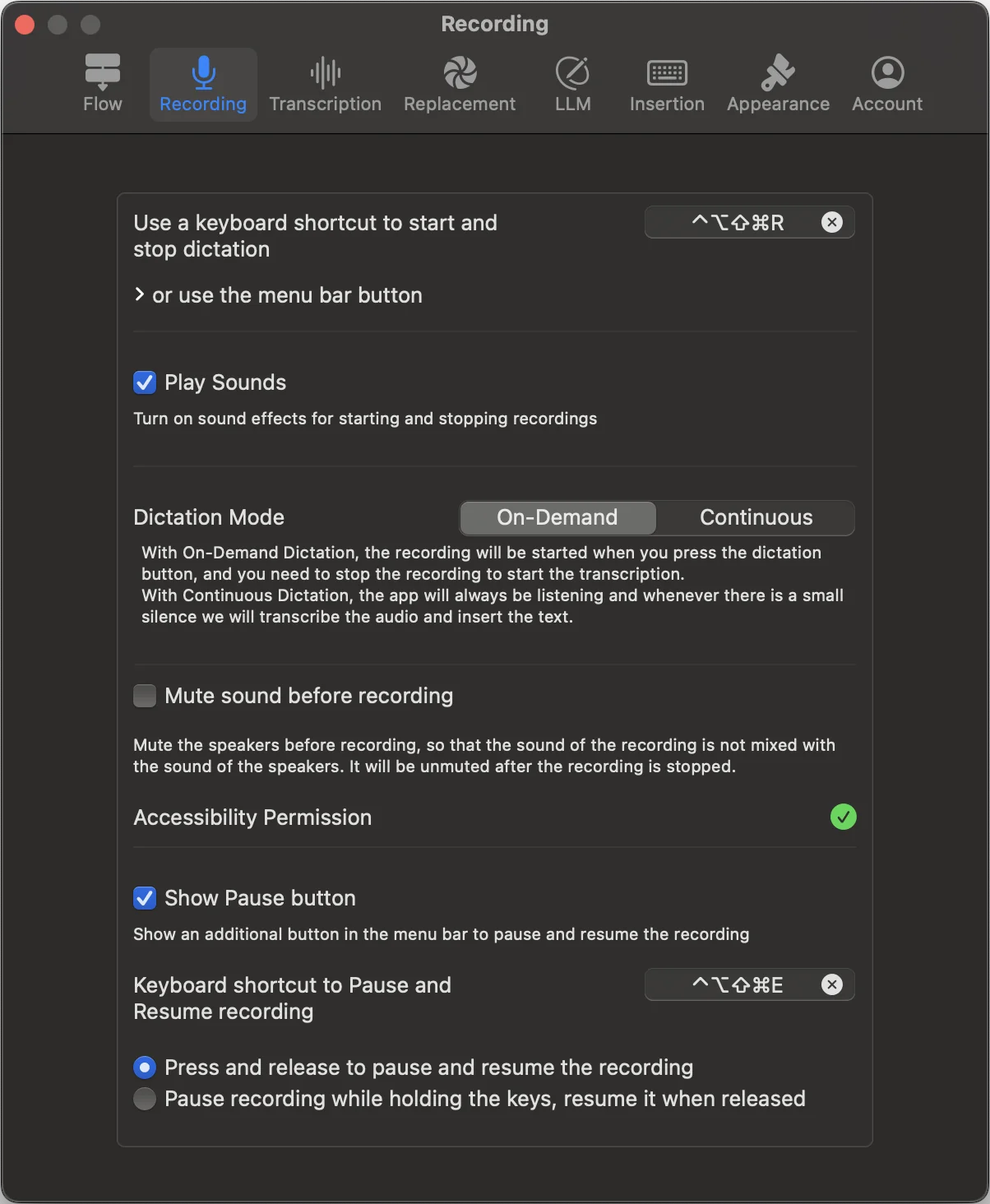
Mac recording settings, with shortcut and pause controls.

Mac dictation features.

Choose how recording starts, how transcripts are edited and how text is delivered to your apps.

Dictop features and platform availability
FeatureWhat you can do
Automatic text insertionPaste finished dictation at your cursor or copy it for later. Set spacing, line breaks and the text version to insert.
On-demand or continuous dictationRecord and transcribe on demand, or keep dictation running and have text inserted after pauses.
On-device and cloud speech modelsUse downloaded speech models to transcribe offline, or select a cloud model.
Multiple languages and automatic detectionSelect a language or let a supported model detect it automatically.
Word replacements and regex rulesAutomatically correct names and recurring mistakes with text replacements or regular expressions.
AI editing with your own promptsUse your own prompts to correct grammar, remove filler, summarize or reformat. Keep the original transcript.
Searchable transcript historySearch locally saved transcripts, edit the text, and copy or share the version you need.
Pause and resume recordingPause and resume from the menu bar or a shortcut. Choose press-to-toggle or hold-to-pause.
Preserve your clipboardInsert a transcript without losing the previous item in your clipboard.
Edit before pastingCheck and edit the transcript before it is pasted into a chat, terminal or document.
Audio and video file transcriptionDrop audio or video files into Dictop, or transcribe from Finder’s Services menu. Find results in history.
App and screen context for AILet AI use text from apps you allow or your screen. Requires Screen Recording permission.
Custom shortcuts and menu bar controlsSet shortcuts for recording, pausing, inserting the latest transcript and retrying transcription. Follow progress in the menu bar.
Recent transcripts from the DockInsert recent transcripts from the Dock menu, or hide the Dock icon and use the menu bar.

Speech models, languages and AI options depend on your device and selected model. Cloud processing uses separately purchased credits.

Detailed Mac guides.

Learn how to configure recording, insertion, replacement rules, AI editing and speech models.

Read the complete Mac guide

Detailed guides are currently available in English.

On-device and cloud processing.

On your device

Available on-device speech models process audio locally. Apple Intelligence can refine text on device where supported and selected.

Optional cloud models

Choosing cloud transcription sends audio to the speech service and selected provider. Cloud rewriting sends the transcript and configured prompts. Credits are separate.

Pricing and free trial.

A one-time purchase for on-device dictation. Optional cloud processing, paid separately.

On-device dictation: one-time purchase.

Try on-device transcription free for 30 days. After the trial, make a one-time purchase to keep using it. You are not charged automatically when the trial ends.

Check the App Store and the in-app purchase screen for current regional prices and eligibility on your device.

Cloud processing: pay-as-you-go credits.

Buy cloud transcription time when you need it. Cloud speech models and cloud AI refinement use credits; on-device processing follows the app’s purchase and model requirements.

Available models, credit prices and any introductory cloud allowance are shown in the app. Purchase availability can vary by platform and account.

Purchase and restore options are shown on each device.

Download Dictop for Mac.

Download Dictop for Mac and try on-device dictation.