Multilingual Voice Typing
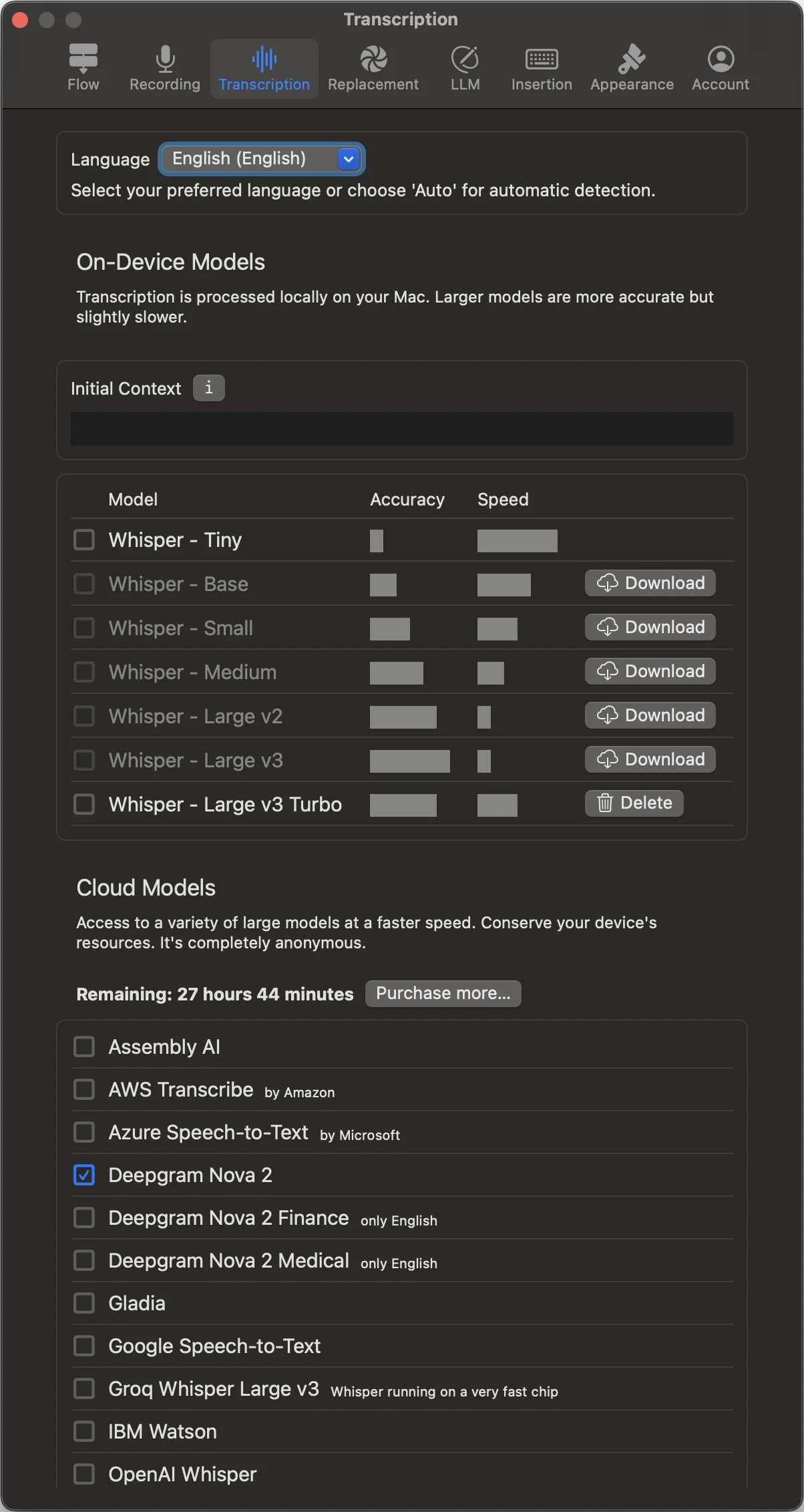
Dictate in multiple languages. Language coverage and automatic detection depend on the selected provider and model. Select a language explicitly when you want to guide recognition.
Auto‑detect when you need flexibility
Move between languages without toggling settings. With auto‑detection enabled, dictop selects the most likely language for each recording. When your work is primarily in one language, lock it for best accuracy.
Lock a language for focus
Selecting a language explicitly gives the model helpful constraints for accuracy and punctuation. For long‑form writing, set a default language and switch to auto‑detect only when you need mixed‑language input.
Models and accuracy
Choose an available on-device model to balance speed, accuracy and resource use, or select an optional cloud model with the language coverage you need. Cloud models use credits. You can also provide a short Whisper “Initial Context” to guide the first seconds of recognition.
Notes
- Auto‑detect availability depends on the chosen provider/model.
- On‑device models run entirely on your Mac; cloud options are opt‑in.
Tips
- Lock a language for long sessions; use auto‑detect for mixed‑language tasks.
- Choose a larger Whisper model for niche terminology.